Essential-Detail Triage for Small Line Art
When you simplify line art for a small engraving, cut, or die-cut handoff, preserve the relationships that make the subject readable before reducing secondary detail.
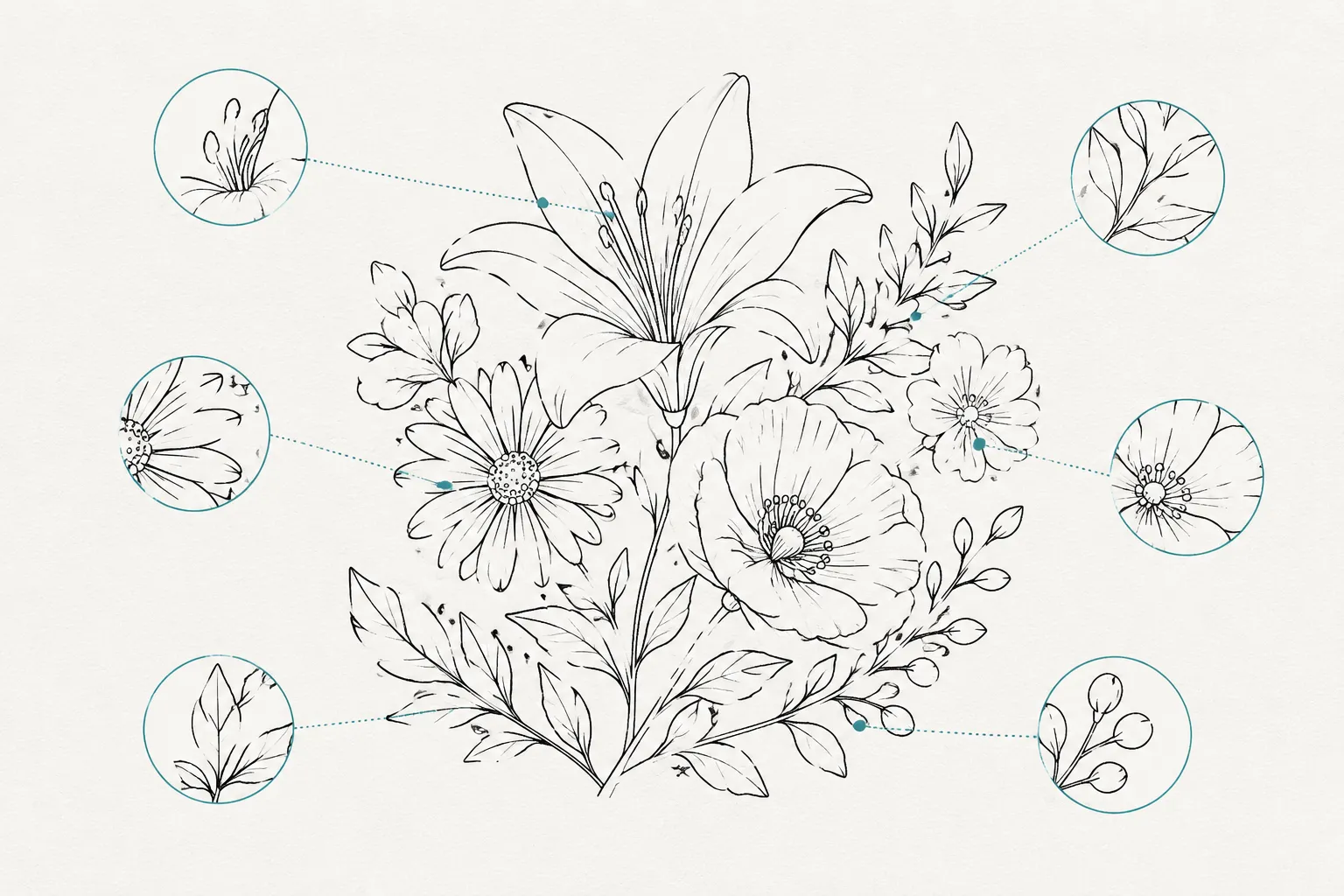
Start with five features: the outer contour, essential bridges, meaningful gaps, counters, and junctions. Then compare the concept preview with the editable path view at the intended size. A clean preview cannot confirm that those relationships survive in the geometry.
Record unresolved features for the shop instead of assigning universal dimensions. Bridge width, gap size, material behavior, equipment, and process conditions remain shop-dependent.
Preserve the Features That Carry Recognition
Small line art has limited visual room. Every stroke does not carry equal weight.
Mark the lines that explain the subject at a glance. They may include the outside edge of a leaf, the opening inside a letter, the separation between overlapping objects, or a short stroke that distinguishes one part from another.
Treat these marks as essential contours. Remove texture, hatching, and decorative lines only after the recognition structure is clear.
Hide minor detail temporarily. If the subject remains identifiable, the remaining contours are doing the main work. If the subject becomes ambiguous, restore the smallest structural feature that resolves the ambiguity.
This is a design decision, not a machine setting. The shop still needs to confirm how the approved file behaves at the intended scale and on the selected material.
Review Bridges, Gaps, and Counters Together
A bridge connects regions that need to remain one readable form. A gap separates regions that must not merge. Simplification can remove either relationship when nearby paths move, join, thicken, or trace incorrectly.
Inspect each narrow connection and separation in the path view:
- Does the bridge connect the intended regions?
- Has the connection become visually uncertain?
- Does the gap remain open at the intended viewing size?
- Has a neighboring contour expanded into that gap?
- Does the path show a real separation, or only a light area in the raster preview?
A counter is an enclosed or partly enclosed opening inside a shape. Letter interiors, holes, handles, eyes, and small negative spaces can all function as counters.
A filled counter can change the represented form. A letter may lose its identity, a handle may become a solid block, and a small facial feature may disappear into the surrounding contour.
For each counter, record its role:
- Essential: the opening must remain visible.
- Provisional: the opening is retained but still needs visual approval.
- Optional: the opening is decorative and may be removed.
- Shop-dependent: the final behavior requires a test on the exact material and equipment.
Describe these decisions by relationship rather than by unsupported numbers. “Keep the opening between the handle and body visible” gives the handoff a clear design requirement without pretending to define a universal production threshold.
Fewer Nodes Are Not Always Better
Path simplification changes the underlying anchor-point structure. Removing redundant points can make a path easier to inspect, but a lower node count does not automatically produce a better result.
Simplification can alter the direction of an outer contour, the sharpness of a corner, the continuity of a curve, the shape of a counter, or the position of a junction.
Research on line-drawing simplification describes a tradeoff between reducing line density and preserving structure. For a shop handoff, the useful question is not how few nodes remain. It is which visible relationships still hold.
Use node reduction provisionally. After each meaningful change, compare the result with the original concept preview. If the contour is cleaner but the subject changes, restore or reposition the path detail that carries recognition.
Compare the Preview With the Path View
A raster preview and a traced vector file are different artifacts.
The preview shows rendered pixels and overall appearance. The path view shows editable geometry made from nodes, anchor points, contours, joins, and connected or separate paths. Different path arrangements can produce similar pixels, especially around intersections, overlaps, and small gaps.
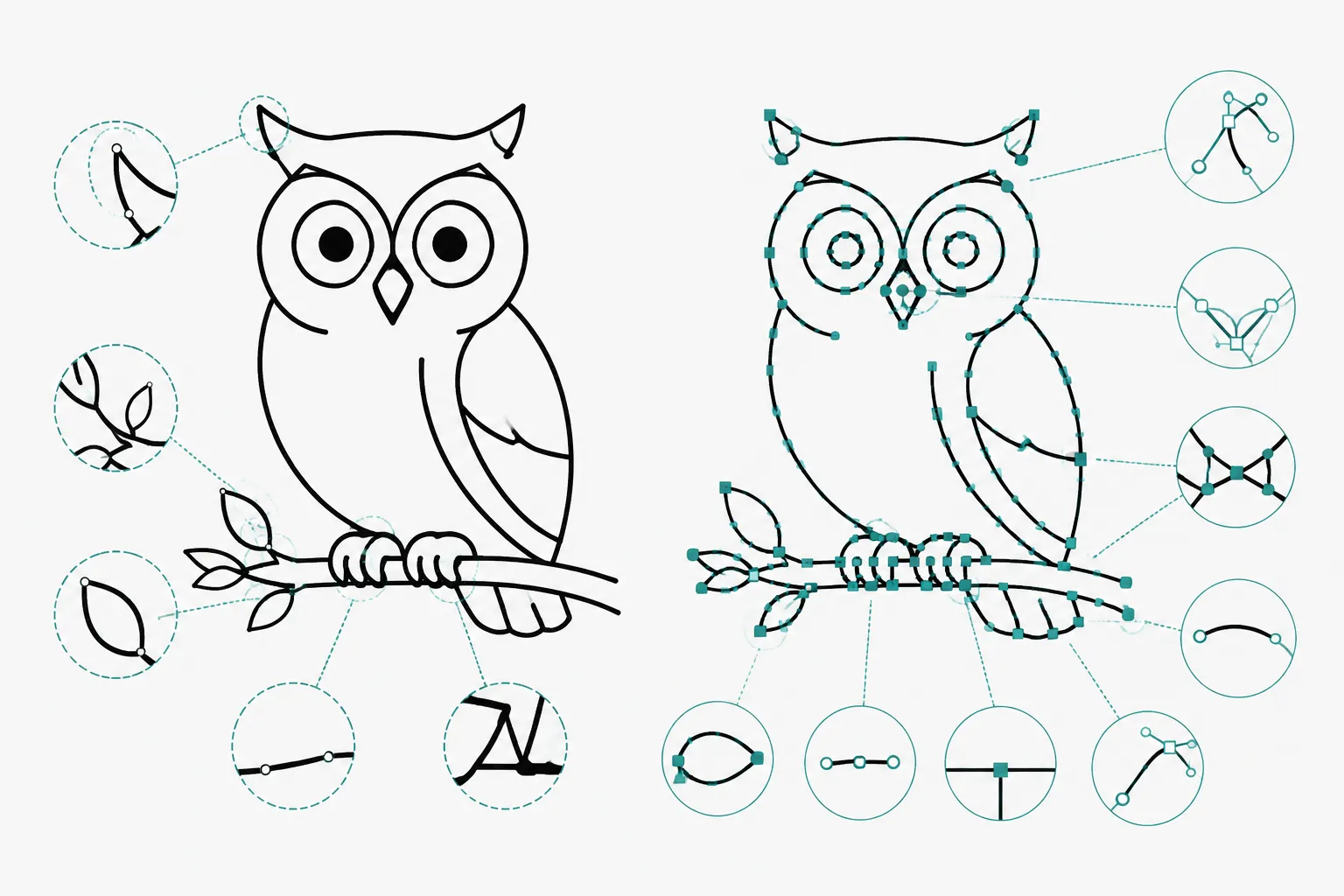
The Concept Preview Helps You Judge
- Whether the subject remains recognizable.
- Whether the visual balance still feels intentional.
- Whether line density has become distracting.
- Which details appear important to the design.
The Path View Helps You Inspect
- Whether lines are open or closed.
- Where contours actually meet.
- Whether a junction contains unwanted overlaps.
- Whether a counter is defined by a genuine opening.
- Whether tracing created fragments, loops, or extra paths.
- Whether simplification changed the intended geometry.
A preview can look smooth while the editable paths remain ambiguous. That does not make the preview useless. It means the two views answer different questions and should not be treated as interchangeable proof.
Inspect Junctions Before Judging the Curve
Intersections deserve separate attention because vectorization can misread their structure.
At each junction, identify the intended relationship:
- One line stops against another.
- Two lines join into one continuous contour.
- One line passes behind another.
- Several strokes meet as one connected form.
- A small gap intentionally keeps the paths separate.
Zoomed inspection can reveal the geometry, but it cannot always resolve the original intention. Overlapping strokes, anti-aliased edges, construction lines, and fragmented regions may leave more than one plausible interpretation.
Inspect junctions in the path view after tracing. Mark uncertain intersections as design decisions still awaiting review. The handoff should distinguish “this path is approved” from “this intersection needs a choice.”
A Compact Simplification Workflow
- Mark essential contours. Identify the outside edges and internal strokes that preserve recognition.
- Simplify provisionally. Reduce redundant points or merge suitable segments while keeping the original concept available.
- Inspect editable paths. Review nodes, contours, joins, open paths, closed paths, and overlapping regions.
- Compare at intended scale. Check the preview and simplified version at the size the customer or shop will review.
- Check bridges, gaps, and counters. Confirm essential connections remain connected and essential openings remain open.
- Review intersections. Decide whether each meaningful junction is connected, separated, layered, or unresolved.
- Prepare the handoff note. List decided features, provisional choices, and shop-owned questions separately.
This sequence keeps visual preference from being mistaken for a production requirement.
Use Trace Controls as Candidate-Making Tools
Tracing tools may expose controls for threshold, noise, detail, or related image-to-path choices. These controls affect which raster features become candidate vector paths.
They do not decide which features are essential to the design. A high-detail trace may retain unwanted texture or construction lines. A low-detail trace may remove a small bridge, close a gap, or simplify a counter beyond recognition.
Control names and available operations vary by application. Use the trace result as a candidate path, then inspect it manually. Documentation for Adobe Illustrator, Inkscape, and LightBurn can clarify each application's path and tracing operations, but one application's workflow does not establish universal values for another application, machine, or material.
Separate Decided, Provisional, and Shop-Dependent Items
A clear handoff benefits from three labels.
- Decided: The feature has a stated design role. Example: the opening inside the letter must remain visible.
- Provisional: The feature has been simplified but still needs visual approval. Example: the outer curve uses fewer nodes and should be compared with the original preview.
- Shop-dependent: The artwork decision is clear, but production behavior requires the shop's exact context. Example: confirm the narrow separation on the selected material and equipment.
Artwork review cannot establish material suitability, equipment compatibility, ventilation adequacy, or final output quality. The relevant manufacturer, supplier, or shop operator owns those questions for the exact material and equipment in use.
What This Review Can Confirm
The review can confirm visible artwork decisions:
- Which contours define the subject.
- Which bridges must remain connected.
- Which gaps and counters must remain open.
- Which junctions are structurally clear.
- Which paths still require design approval.
It cannot confirm universal stroke widths, minimum gaps, bridge dimensions, equipment settings, material compatibility, or final output quality. The available references describe path terminology, tracing boundaries, simplification mechanisms, and structural ambiguity. They do not provide a material-specific test piece or a firsthand production record for this artwork.
The file can be well-scoped while still requiring a shop-specific test.
The Next Handoff Check
Before routing the file, write one short structural note beside the approved preview:
- Which outer contours must survive?
- Which bridges must remain connected?
- Which gaps and counters must remain open?
- Which path issues are unresolved?
- Which exact material and equipment context must the shop test?
Attach the editable path view alongside the concept preview. The useful handoff is the one where essential structure, provisional choices, and shop-owned questions can be inspected separately.