Fabricator Review Questions by Process
A useful laser engraving checklist begins with visible artwork behavior, not the file extension.
A vector file can contain strokes, fills, open paths, duplicate contours, and editable text. A raster file contains pixels at a defined size. Neither format tells the fabricator whether an element should be traced, filled, scanned, cut, engraved, painted, or omitted.
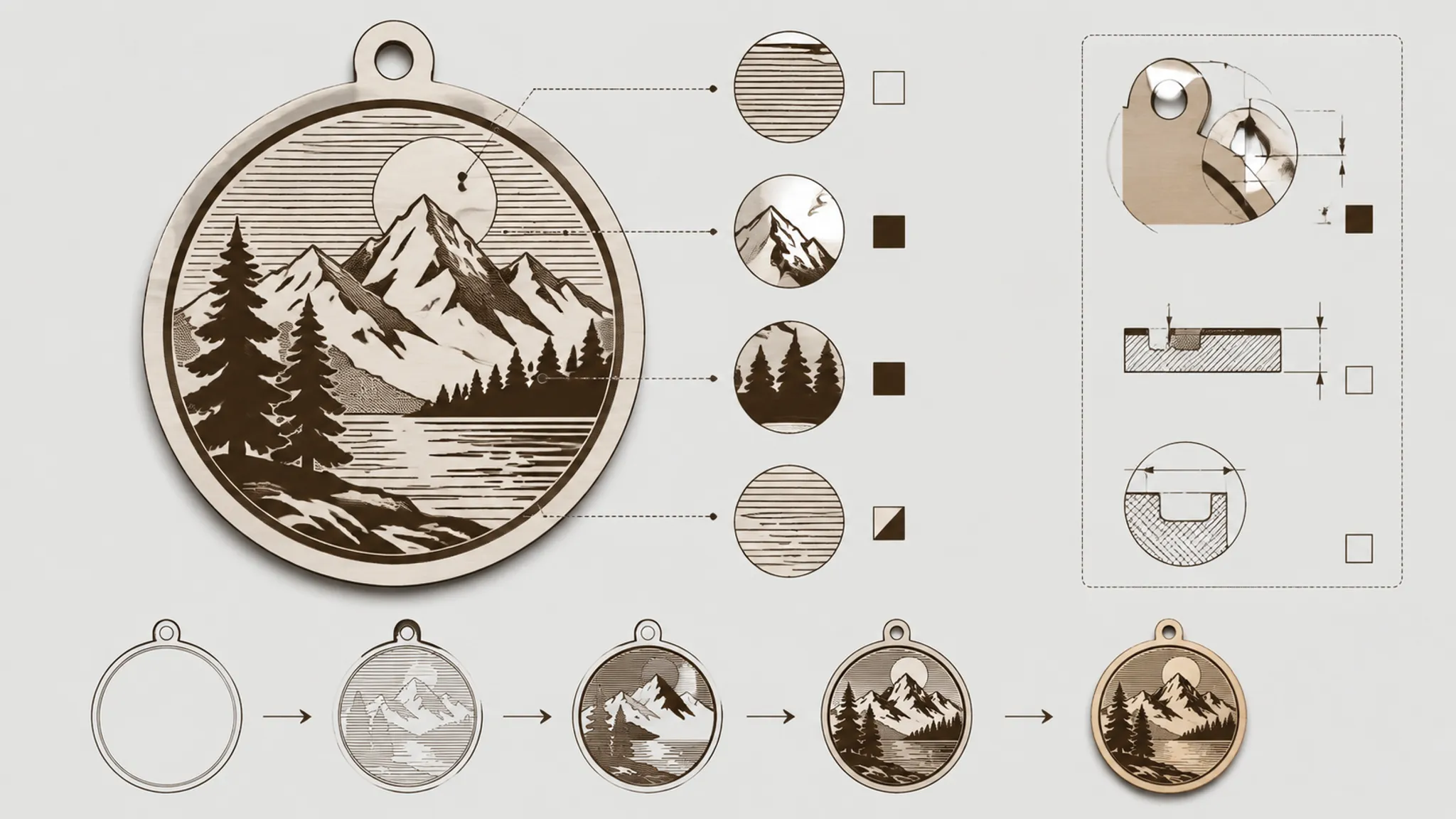
Review each element through four questions:
- What is visible in the concept?
- What behavior is intended?
- What remains provisional?
- How will the fabricator confirm the interpretation?
This separates the concept preview from the production file. It also exposes ownership questions before cleanup, setup, or testing begins.
Start With the Intended Process
The first handoff question is not “Is this vector?” Ask which process should handle each visible element.
A line-art badge may contain several instructions:
- A contour intended for vector line engraving
- A filled region intended for raster engraving
- An outer boundary reserved for cutting
- Small counters that must remain open
- Text that needs outlining or separate handling
- A selected area intended for later paint fill
The preview may present these elements as one finished graphic. The receiving shop still needs them separated by intended behavior.
Vector and raster engraving
Vector engraving follows defined paths. Raster engraving scans an area represented by pixels or filled shapes. Manufacturer documentation describes different interpretations for each workflow, but the final assignment depends on the shop’s equipment and software.
A vector contour may retain a light visual weight. A filled raster area may create broader coverage, while changing how counters, bridges, and narrow gaps read.
Ask the fabricator:
- Should this element be a vector stroke, vector fill, or raster area?
- Are strokes and fills assigned to separate operations?
- Will this contour be engraved, cut, or retained only as a reference?
- Which elements require a material-specific test?
- Does the shop need the original raster image or only a placement export?
The artwork can state intent. It cannot choose the receiving shop’s operation mapping.
Review Stroke Versus Fill Intent
Stroke-versus-fill intent is a common source of handoff ambiguity. A stroke describes a path, while a fill describes an enclosed area. They may look similar at one zoom level yet produce different operation assignments.
Inspect each narrow mark and identify whether it is:
- A single centerline
- The edge of a filled shape
- Two overlapping contours
- A decorative outline around an area
- A path that should disappear during cleanup
A thin-looking mark may remain a stroke. A solid-looking logo may instead consist of closed, filled shapes. Record the intended behavior beside the artwork rather than relying on appearance alone.
| Visible cue | Stated intent | Fabricator question |
|---|---|---|
| Single badge contour | Vector line engraving | Should this path be traced once? |
| Solid central letterform | Filled engraving area | Should this region receive raster treatment? |
| Narrow outer boundary | Separate contour operation | Is this engraved or reserved for cutting? |
| Fine decorative line | Provisional line treatment | Which line convention applies at final scale? |
Do not apply one hairline threshold to every workflow. Line properties may be interpreted differently by particular drivers, software, and equipment. Request the shop’s current minimum line convention and accepted file standard.
Confirm Paths, Counters, and Bridges
Closed paths matter around fills, cut boundaries, counters, and connected lettering. An open path does not return to its starting point, but overlapping endpoints or a visible fill can hide that difference in a preview.
Counters, bridges, and gaps
Counters are enclosed spaces inside letters and symbols. Bridges retain connections between areas. Gaps preserve separation between neighboring contours.
- Does each counter remain intentionally open?
- Are bridges visibly connected at the intended physical scale?
- Do neighboring contours retain a clear gap?
- Has a fill accidentally closed a counter?
- Does an outline create an unintended second boundary?
Describe the visual requirement without inventing a universal dimension:
The counter must remain open, and the narrow bridge must remain visibly connected.
Then ask whether the shop can confirm that relationship in a path view, whether cleanup requires simplification, and which revision needs renewed approval. Minimum bridge, gap, and line dimensions remain dependent on the recorded scale, material, machine, and workflow.
Open path review
An open path may be an intentional centerline or decorative stroke. It may also be incomplete geometry, a construction line, or a broken boundary.
Label every open path by role. The path view indicates geometry, but it does not confirm whether the shop will trace, close, fill, or exclude that path.
Isolate Duplicate Contours
Two identical paths can look like one line in a rendered preview. An operation view may expose repeated movement over the same region. The effect depends on the assigned process and setup, so record the duplication without predicting the output.
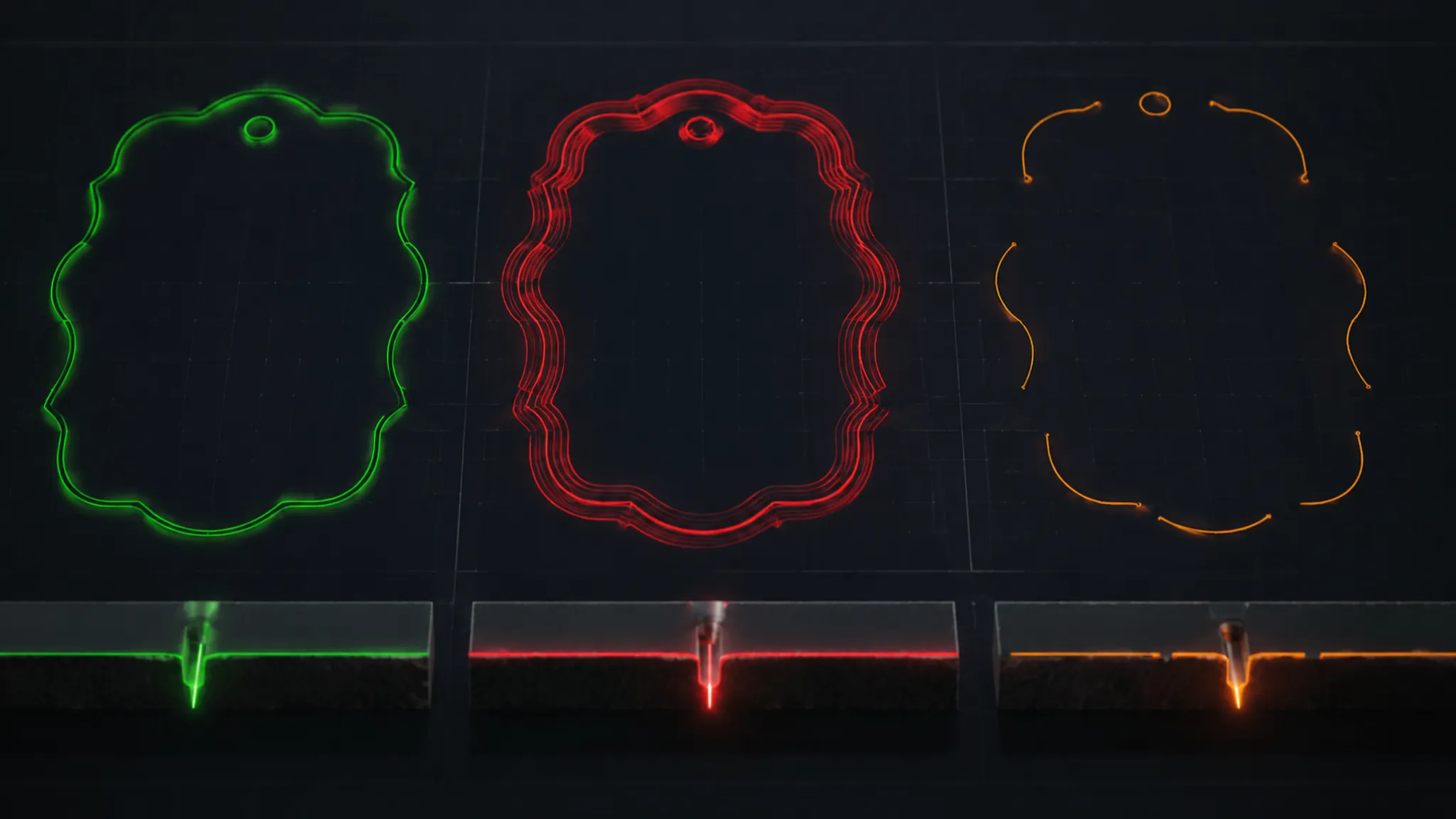
Inspect for:
- Copied outlines placed directly over one another
- Unintended nested contours
- Repeated imported artwork
- Outlines created during stroke expansion
- Duplicate paths on hidden or inactive layers
- Closed shapes retained with their original strokes
Ask whether the fabricator will remove duplicates during cleanup. If an overlap is intentional, document the distinct behavior it represents and request an operation view before testing.
Separate Raster Size From Resolution
Physical size and source resolution are related, but they are not interchangeable. Size states how large the image should appear. Resolution describes the available pixel information at that size. Tonal treatment governs how light, dark, and intermediate values are represented.
A raster handoff record should include:
- Intended finished width and height
- Original and exported image dimensions
- Expected tonal range
- Any requested dithering or tonal treatment
- Crop, rotation, and distortion decisions
- Whether the original image accompanies the export
- A clearly labeled material-context mockup
Higher DPI does not establish a better result by itself. Ask which resolution the receiving workflow expects, whether tone will be assessed at final size, and which visible defects would trigger revision.
A raster mockup can show composition and contrast. It cannot demonstrate final tone, depth, or material response.
Treat Color Maps as Shop Conventions
A laser engraving color map may assign colors to operations, layers, or process groups. Those meanings are not universal.
One workflow may separate vector operations by color. Another may use stroke properties, layer names, fills, or software-specific assignments. Translate any documented convention into receiving-shop questions:
- Does the shop use color-coded operations?
- What does each color mean in the current workflow?
- Are stroke and fill colors interpreted separately?
- Does black represent raster content, reference artwork, or another operation?
- Should color remain after operation assignment?
- Would named layers be less ambiguous?
Include the shop’s current convention in the handoff record, with its version or date when relevant. Identify who owns the final operation assignment.
Clarify Text and Layer Ownership
Text handling
Editable text may depend on an installed font. Outlined text replaces the text object with paths, reducing font dependency while making wording changes less direct.
Confirm the exact wording, font choice, text status, letter counters, punctuation, spacing, and final-scale alignment. Ask whether the shop wants editable text, outlined text, or both, and identify the file containing the approved wording.
Converting text to curves is a preparation step. It does not confirm spelling, scale, path quality, or operation assignment.
Layer ownership
Layers often carry both visual organization and process meaning. A name such as “engrave” does not establish how the receiving software will process its contents.
| Layer or group | Contains | Next decision owner |
|---|---|---|
| Approved artwork | Visible design and wording | Reviewer or customer |
| Vector line | Intended traced paths | Fabricator confirms mapping |
| Raster fill | Filled areas or tonal imagery | Fabricator confirms treatment |
| Reference | Placement or construction geometry | Reviewer labels or removes it |
| Paint fill | Selected finishing regions | Reviewer and fabricator define acceptance |
Record whether the shop will reorganize layers, assign colors, separate operations, or request another export. Keep each change visible for approval.
Confirm Order, Depth, and Finishing
Operation order
Operation order controls how separate artwork groups are processed within a particular workflow. The useful question is not which sequence is universally best. Ask what order the fabricator intends and how it matches the artwork.
- Which elements are processed first?
- Does contour work precede or follow area engraving?
- Is a separate cut boundary included?
- Are repeated passes intentional?
- Which operations remain provisional until testing?
- Where does customer approval occur in the sequence?
A path view shows geometry. An operation view shows assigned behavior. An order view shows sequencing. Do not treat them as interchangeable evidence.
Depth intent
“Engrave deeper” is incomplete direction. It may describe a darker visual mark, a tactile surface change, a functional recess, or a region prepared for secondary finishing.
Document the requested category, its purpose, the visible feature expected to change, the inspection method, and who approves a revision. Feasibility remains tied to the exact material, artwork, equipment, and setup.
Paint-fill acceptance
Paint fill is a separate finishing decision, not merely another artwork color. Identify the selected regions, intended finish, recess expectations, masking needs, cleanup ownership, edge criteria, and approval state.
Durability and adhesion should not be inferred from a preview or general workflow description. Ask the receiving shop which finishing steps it owns and what test or sample will support acceptance.
Run the Final Physical Scale Check
A concept may look resolved on screen while becoming ambiguous at its intended size. Inspect stroke visibility, counter openings, bridge continuity, gap separation, text legibility, raster detail, filled-area balance, layer alignment, and product placement.
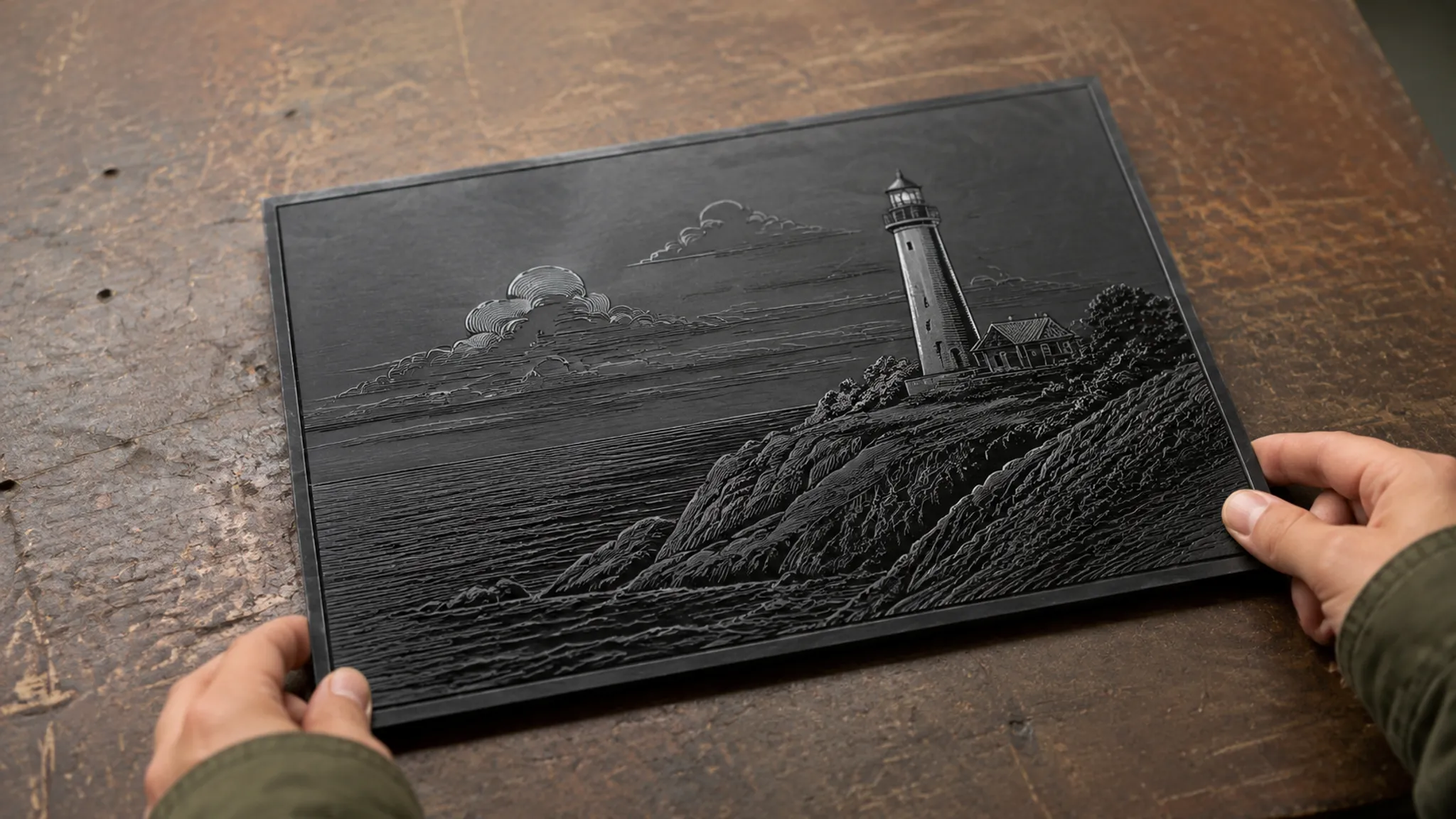
Use a material-context mockup to assess composition. Label it as a preview rather than a production result.
Finish with three states:
- Decided: wording, composition, intended elements, final scale, and approved visual direction
- Provisional: line treatment, raster tone, depth, paint fill, and unresolved simplification
- Shop-dependent: file standard, color map, line convention, operation order, material review, and test requirements
Laser Engraving Handoff Checklist
- Assign each visible element as a vector stroke, vector fill, raster area, contour, or reference.
- Identify open paths, duplicate contours, hidden geometry, and unused layers.
- Confirm which filled shapes are intentional.
- Mark the counters, bridges, and gaps that must remain visible.
- Request the shop’s current line and hairline conventions.
- Record the color map, layer names, and operation-assignment method.
- Confirm whether editable text, outlined text, or both are required.
- State raster size, source dimensions, and intended tonal treatment.
- Confirm whether the original raster image must accompany the export.
- Ask the shop to state its intended operation order.
- Define any test piece by artwork, machine, material, and setup.
- Describe depth as visual, tactile, functional, or finish-related intent.
- Assign cleanup decisions to the reviewer or fabricator.
- Identify changes that require renewed customer approval.
- Specify the final-scale proof or sample to inspect.
These questions do not replace the shop’s file standard. They make its requirements and ownership boundaries visible before work proceeds.
Common Handoff Misunderstandings
Does a vector file automatically mean line engraving?
No. Vector artwork may contain strokes, fills, text, open paths, and duplicate contours. The receiving workflow determines how each element is assigned.
Should all artwork use one color?
Not necessarily. Some workflows use color for operation mapping, while others rely on layers or object properties. Request the shop’s current convention.
Is a hairline setting universal?
No. Hairline behavior depends on the receiving machine, driver, software, and file standard.
Is higher DPI always better for raster engraving?
No. Resolution interacts with physical size, source quality, tonal treatment, and the receiving workflow. Confirm the shop’s requirements for the intended material and scale.
Should text always be converted to curves?
That depends on the shop’s file workflow. Preserve the approved wording and ask whether editable text, outlined text, or both should be supplied.
What does a test piece establish?
A test-piece record documents behavior for its stated artwork, material, equipment, and setup. It does not establish transferable settings or tolerances.
The Next Handoff Action
Finish the review with one annotated artwork package and one short decision record. Separate vector strokes, filled shapes, raster content, contours, text, references, and paint-fill regions.
The record should state final scale, intended behavior, unresolved process questions, layer ownership, requested proof, and the fabricator’s confirmation points. A laser engraving checklist works when it converts visible features into assigned decisions.
Send the annotated artwork with the open questions. Move forward after the shop returns its current file requirements, operation mapping, and test plan.
Sources
- Bitmap (Raster) vs Vector Graphics for Engraving - Epilog Laser Support
- Raster engraving vs. vector engraving | Tips Trotec Laser
- How to set the engraving and cutting order - LONGER
- Best Practices for Fill Layer Engraving and what settings to watch out for
- Guidelines for Laser Safety and Hazard Assessment | Occupational Safety and Health Administration
- Laser Cutter Safety – EHS