Material-Context Mockups and Evidence Labels
A material mockup helps a reviewer inspect a line-art concept against a named surface, object, or product shape. It can clarify the placement of a badge, monogram, sign, plaque, or gift-product graphic.
It does not show, by itself, how the artwork will cut, engrave, register, withstand handling, or meet a shop's production requirements. The useful question is narrower: what does the image establish, what does it assume, and who must confirm the next decision?
That separation keeps customer approval, vector preparation, material testing, and production approval in distinct lanes.
Start With the Evidence Label
An evidence label should describe the question an asset can answer. A realistic appearance is not enough.
| Label | What it can show | What remains unresolved |
|---|---|---|
| Concept preview | Composition, hierarchy, color relationship, and general presentation | Material behavior, file structure, output quality, and production approval |
| Material-context mockup | Artwork against a named object, substrate, finish, or product geometry | Cut quality, engraving contrast, edge condition, registration, and durability |
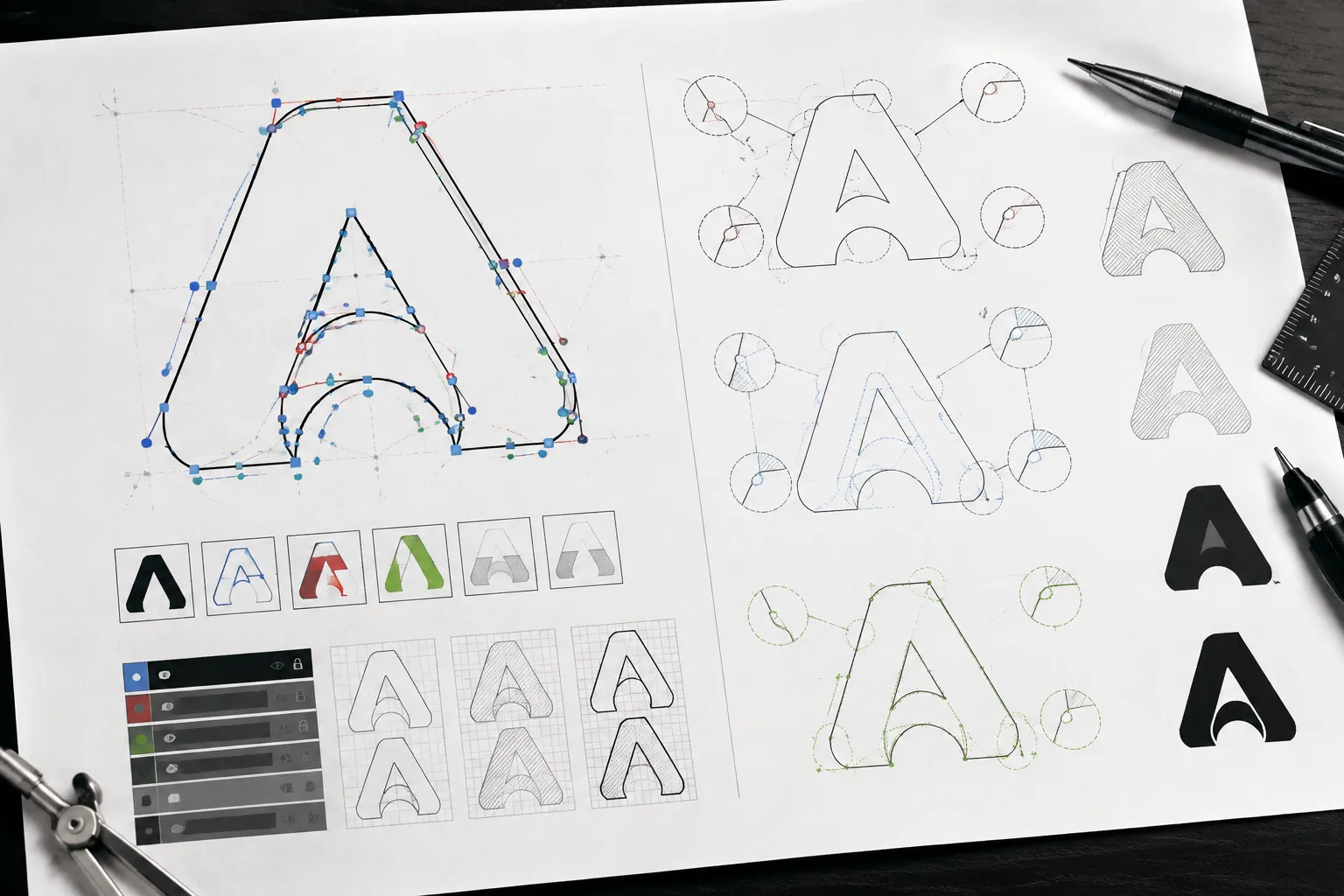
| Path view | Separate paths, intended geometry, contours, counters, bridges, and layers | Material response, machine behavior, rights, and final approval |
| Material test | A machine-and-material run under stated conditions | Whether another machine, batch, thickness, or process will behave identically |
| Test-piece record | Observed output such as cut-through, residue, edge darkening, contrast, or dimensions | Universal settings, material suitability, legal clearance, and approval for every run |
| Approved production file | A file explicitly accepted by the responsible shop or vendor for its process | Anything outside the scope of that approval |
An asset can carry more than one label over time. A material-context mockup may later be paired with a path view and a test-piece record, but each addition answers a different question.
Calling an early image a final test or accurate prototype does not change its evidence level.
What a Material Mockup Shows
The strongest use of a material-context mockup is visual decision-making. It can help a reviewer inspect:
- Whether the main contour fits the product shape.
- Whether a monogram remains legible at the proposed scale.
- Whether a badge feels balanced on a plaque or sign.
- Whether negative space remains visible against the chosen surface.
- Whether layered line art has a clear front-to-back relationship.
- Whether the mark sits too close to an edge, corner, fold, or mounting point.
- Whether several colorways or surface treatments need comparison.
- Whether the graphic belongs on the front, side, lid, or another product area.
The preview shows relationships. It does not reproduce the machine path, material response, or finished edge.
A dark engraving effect may represent contrast selected for presentation. It is not evidence that the same contrast will appear after processing. A clean cut line may represent a vector contour, a rendered edge, or a composited image. The label should make that distinction visible.
Record the Mockup's Assumptions
A realistic material mockup becomes more useful when its assumptions sit beside the image. Record:
- The named material or substrate shown.
- Whether the surface is a photograph, scan, rendered texture, or physical sample.
- The intended production method, if already decided.
- The approximate object scale.
- Whether the artwork is single-color, layered, engraved, cut, printed, or undecided.
- Which dimensions are decided.
- Which clearances, gaps, bridges, and edge relationships remain provisional.
- Whether the source artwork has been cleaned into production paths.
- Whether the image represents one product or a broader collection.
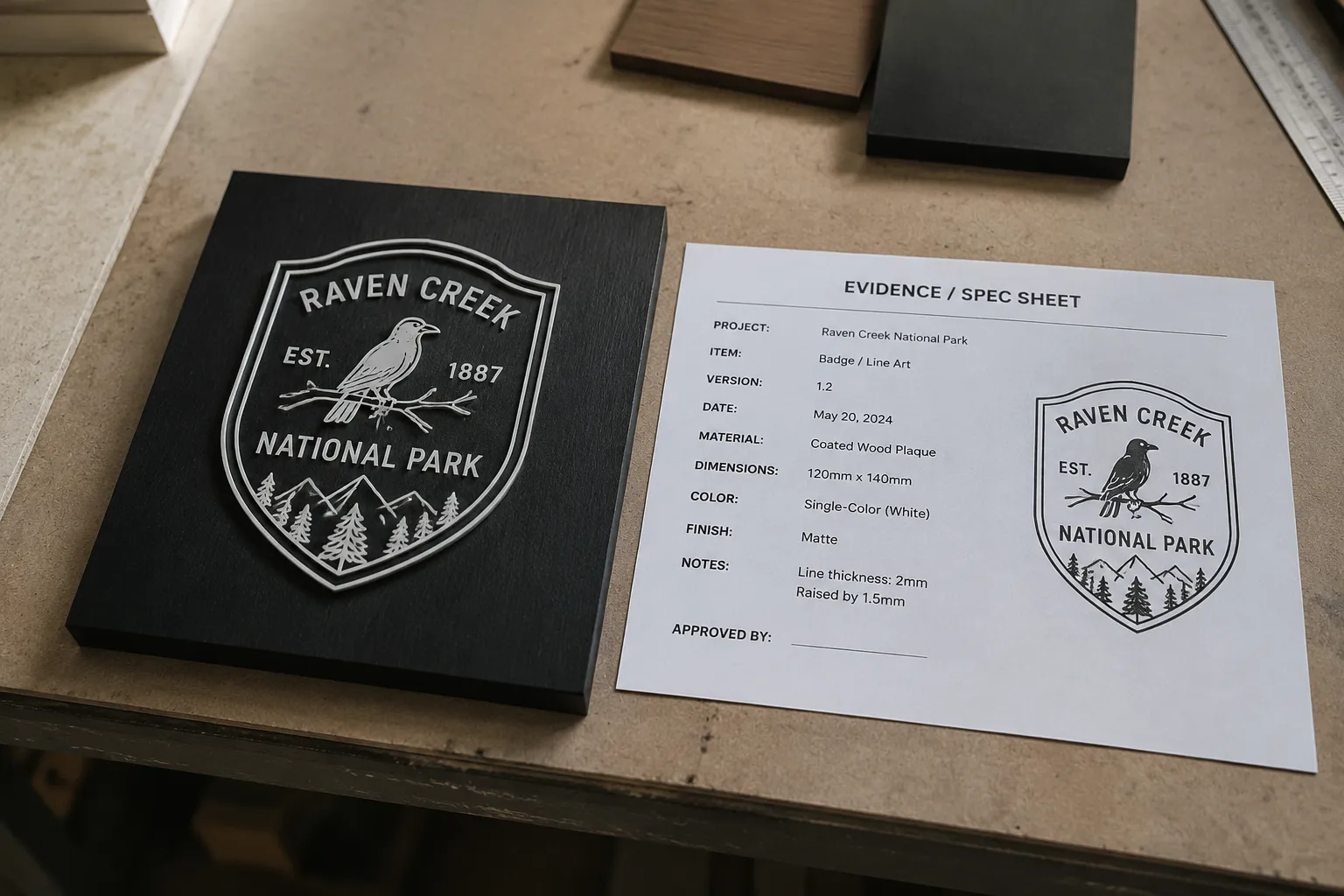
Material-context mockup: single-color badge shown on a coated wood plaque at approximate display scale. Placement and outer contour are provisional. Material composition, edge behavior, engraving contrast, and production approval are unresolved.
This sentence tells the customer what to approve and tells the shop what still needs routing.
Separate Decided, Provisional, and Shop-Dependent Details
Decided details may include the artwork direction, general placement, product variant, visual hierarchy, and customer-approved composition.
Provisional details may include exact scale, stroke weight, gap size, bridge width, layer thickness, edge clearance, and the representation of color or finish.
Shop-dependent details include path construction, machine and material compatibility, cut or engraving behavior, registration tolerance, finishing sequence, vendor acceptance, and production approval.
A reviewer can approve composition while leaving technical details open. The mockup should show that distinction instead of hiding it.
Mockup Versus Material Test
A material mockup asks how the artwork might appear in context. A material test asks what a particular machine and material combination produced under recorded conditions.
Those are different decisions. LightBurn's documented workflow separates a material-test grid, a preview, focusing, framing, and running a test within its software context. That distinction helps define the preview as a positioning and inspection aid, while the test run records behavior under selected conditions. Software workflow documentation does not replace machine-specific safety documentation or establish production quality.
A test record should identify the conditions that give its observations meaning. Depending on the test, that may include the laser or head, material, thickness, working distance, process conditions, airflow, and observed result. Opt Lasers' documented testing illustrates why the equipment and material context must travel with the result.
Values recorded for one machine, material, and test remain reference points for that context. They should not become general instructions for other equipment or batches.
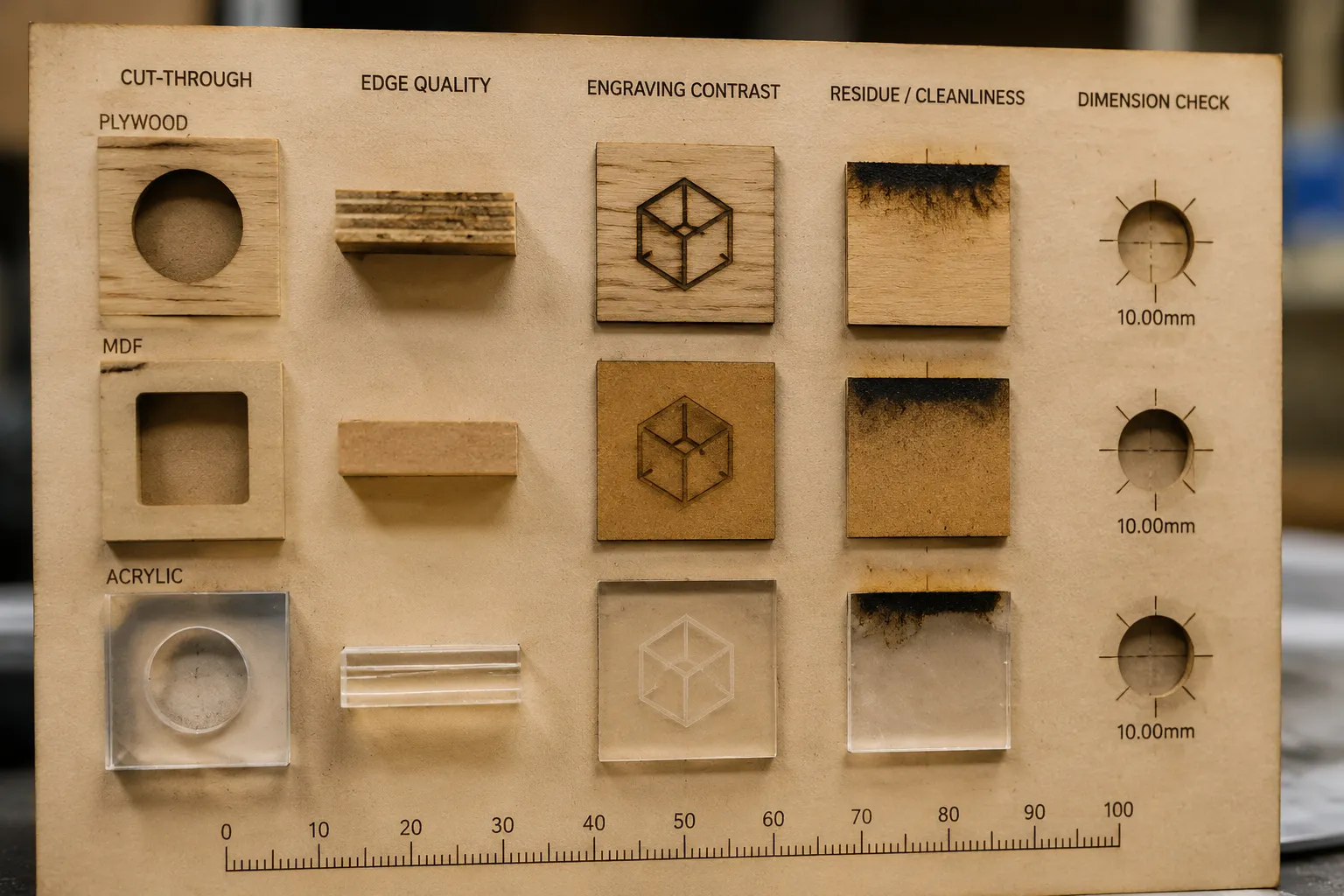
What a Test Piece Can Record
A physical test piece may record observations that a rendered preview cannot establish:
- Whether the path cuts through the named material.
- Whether the edge darkens or collects residue.
- Whether an engraving remains legible.
- Whether the apparent contrast survives on the named surface.
- Whether dimensions match the intended geometry.
- Whether narrow bridges or counters remain intact.
- Whether registration shifts across layers or operations.
- Whether processing changes the material's appearance.
These observations still have a limited scope. A successful test piece does not establish material compatibility, ventilation requirements, durability, rights clearance, or production approval beyond the documented context. Current manufacturer or supplier documentation and the responsible shop's review remain relevant.
Inspect the Main Production Questions
Cut Quality
The phrase material mockup cut quality can describe an inspection goal, but a visual mockup cannot provide the result.
Long narrow strokes may look clean in the preview but need a path and material review. Small counters may appear open yet close at production scale. Thin bridges may look sufficient while remaining provisional until the shop reviews them. Tight interior corners may render sharply while producing a different edge condition.
Closely spaced lines can merge during processing. A contour near the product edge can leave less usable clearance than the image suggests. Route each concern to the responsible shop or vendor; the artwork reviewer can identify the cue and record the question.
Engraving Contrast
A mockup can compare contrast direction. It can show that one line-art version is quieter, darker, lighter, denser, or easier to scan against a proposed surface.
It cannot establish final engraving contrast. The result may depend on the named material, surface finish, machine, process conditions, artwork scale, and finishing choices. A test-piece record can document one controlled run without making that result transferable.
Compare the lightest important stroke, smallest counter, darkest filled area, transition between marked and untouched surface, and relationship between the mark and surrounding grain or texture. If the mockup uses a photographic surface, state whether the texture is representative or illustrative.
Registration Variance
Layered line art, separate color areas, printed artwork, and die-cut contours introduce alignment questions. The mockup can show the intended relationship. It cannot establish the tolerance of the production process.
PrintNinja's provider-specific artwork guidance gives one example of why handoff files may use separated vector die paths, separated artwork, product-dependent spacing, and vendor approval. Those requirements belong to that provider and product context.
- Is the cut path separate from the visible artwork?
- Which layer defines the outer contour?
- Is the artwork centered on the path or intentionally offset?
- Which dimensions are fixed?
- Where could registration variance become visible?
- Which tolerance does the vendor need to review?
- Has the vendor accepted this file structure for the named product?
A mockup showing perfect alignment is still a presentation of intent. Registration becomes evidence only when a relevant process records it.
Keep the Production Route Separate
A laser-cut sample may answer questions about a particular laser-cut geometry. It does not automatically approve stamping, forming, die cutting, CNC routing, printing, or another route.
The visible design may remain stable while the process changes. A laser route can leave forming questions open. A printed sheet may not represent a cut contour. A CNC path can require different corner and bridge decisions. A die-cut file can require separate paths and provider review.
Design-sample approval concerns the visible concept. Production-process approval concerns the route, equipment, material, tolerances, and responsible provider. Keep those approvals as separate records so a successful prototype does not become unsupported evidence for another process.
A Practical Inspection Pass
-
Identify the visible claim. Write one sentence describing what the image shows: badge placement, two monogram scales, or the negative space between a border and lettering. Do not describe cut-through or edge condition unless the asset is explicitly a photograph of a test piece.
-
Mark the decision consequence. Connect each cue to the decision it affects. A narrow counter may affect legibility. A border near the edge may affect clearance review. Dense line spacing may require a material-specific test.
-
State the assumption. Name the material, scale, process, and surface representation being used. A mockup showing “wood” does not identify the wood product, coating, thickness, or composition.
-
Record the unresolved question. Use a concrete question such as whether the smallest counter remains open, whether the named material needs supplier review, or whether the artwork is separated from the cut path.
-
Route the question. The customer owns composition, placement, visual hierarchy, and intended appearance. The designer or vector preparer owns paths, layers, contours, counters, bridges, and dimensions. The shop operator owns the machine-specific setup, test, observed output, and process limits. The manufacturer or supplier owns current equipment and material documentation. The vendor owns file requirements and product-specific acceptance. The rights holder owns permission or licensing terms.
The reviewer should not fill an ownership gap with a confidence label.
Example: A Badge for a Gift Plaque
Consider a hypothetical single-color badge shown on a rectangular wood plaque.
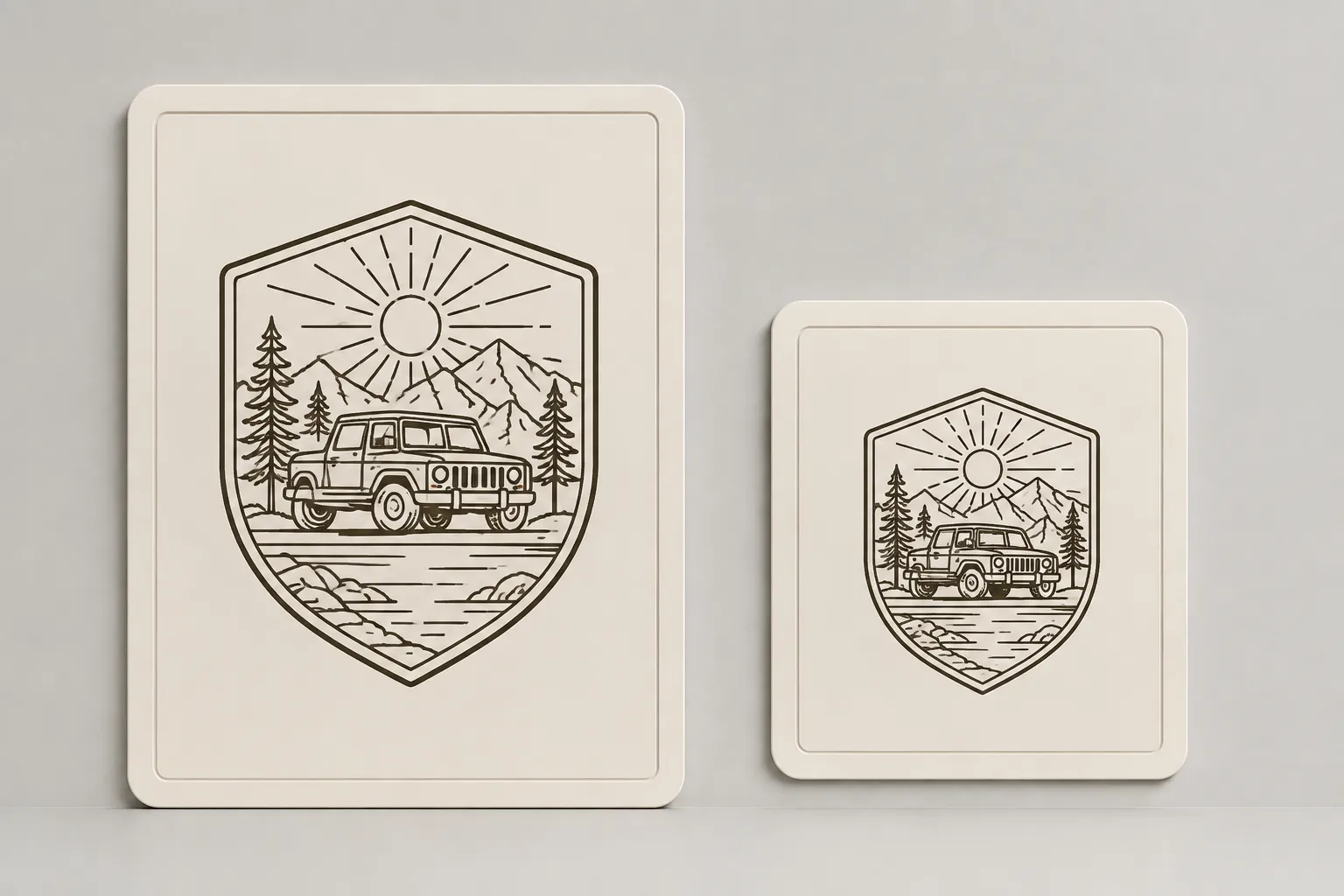
The mockup can establish that the badge sits above the centerline, leaves an intentional margin, and reads more clearly at the larger proposed scale. It can also help compare the border, interior lines, and plaque context across gift-product variants.
It does not establish whether the named material suits the intended equipment, whether its composition or coating has been confirmed, whether the border cuts cleanly, or whether the smallest counter remains open. It also does not establish rendered-to-physical contrast, residue, edge darkening, path separation, or shop acceptance.
The handoff can therefore carry two separate decisions:
- Customer approval: approve the badge direction, placement, and approximate scale.
- Shop review: confirm material documentation, path structure, test requirements, and production conditions.
That is a useful middle-level decision without treating the preview as a finished production record.
Evidence Notes That Travel With the Asset
A handoff note should be short enough to read beside the image. Include the asset label, intended question, named material, approximate scale, production method under consideration, decided elements, provisional elements, open material questions, open file questions, required owner, documentation date or version, and approval status.
For a test-piece record, add the equipment and material context, recorded conditions, and observed effects. For a path view, state that it represents file structure or intended geometry. For an approved production file, name the approving shop or vendor and the scope of approval.
Do not use one status field to cover all these evidence types. Customer approval can settle visual direction without settling production acceptance.
When the Mockup Can Move Forward
A material mockup can move to the next review when the visual decision is clear enough to isolate. The reviewer should be able to identify the preferred composition, approved placement, provisional scale, represented material, details needing vector cleanup, questions requiring a material test, questions belonging to the vendor or shop, and any unresolved source-rights details.
The next step is not automatically production. It may be a path review, material test, vendor file check, or rights confirmation. End the handoff with a routed action rather than a broad confidence claim.
Questions to Carry Into the Handoff
Is a material mockup the same as a test piece?
No. A material-context mockup shows intended appearance against a named context. A test-piece record documents observed output from a particular run.
Can a realistic mockup establish engraving contrast?
No. It can compare an intended contrast relationship. Actual contrast requires a relevant material and process check.
Can a mockup show cut quality?
It can show the proposed contour and identify features needing review. Cut-through, edge condition, residue, and dimensional behavior require a physical test or production record.
Does a path view show that the design is ready?
No. A path view can expose file structure and intended geometry. It does not establish material behavior, equipment suitability, rights, or production approval.
Can one successful sample guide another machine?
Not by itself. Results depend on the equipment, material, thickness, process conditions, and other recorded variables. One shop's test should remain tied to its stated context.
Who approves the production file?
The responsible shop or vendor for the named process. Customer approval can settle visual direction while production acceptance remains open.
What should happen when the material is unclear?
Pause the processing decision and identify the exact material and composition. Current manufacturer or supplier documentation, followed by the responsible shop's review, should guide the next step.
Does a source statement establish rights?
No. Permission and licensing depend on the source terms and relevant rights holder. A mockup can display intended artwork while rights confirmation remains open.
The Handoff Decision
Use the material mockup to approve what is visible: composition, placement, scale direction, and presentation context.
Use a path view to inspect file structure. Use a material test to examine a named machine-and-material combination. Use a test-piece record to document observed output. Use an approved production file only after the responsible shop or vendor has accepted it for the stated process.
Mark the visual decision, record the unresolved questions, and route each one to its owner before production approval.