Silhouette or Outline? A Recognition-First Concept Check
Short answer: choose a silhouette when the concept depends on a filled mass and a strong outer shape. Choose an outline when the concept depends on a boundary stroke with open interior space.
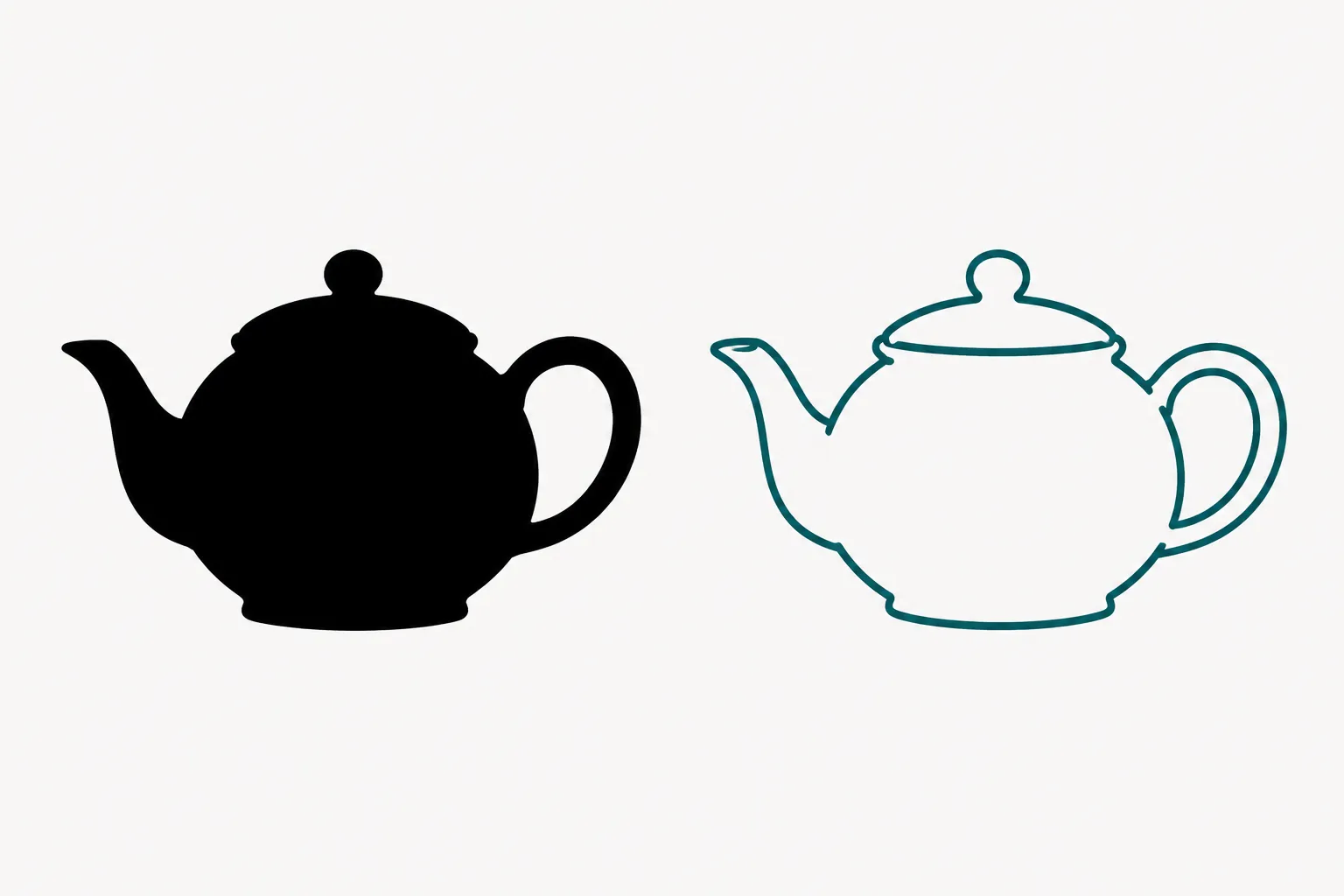
This is a useful working distinction for a shop handoff, not a universal technical standard. Different perception and computer-graphics sources use silhouette, outline, and contour differently.
- Silhouette: a filled shape whose outer boundary carries most of the recognition.
- Outline: a line or stroke that traces the boundary while leaving the interior open.
- Contour: a broader term for a visible boundary or shape-defining line.
The practical decision is simple: should the viewer read a solid shape, or a boundary around a shape?
Start With the Visible Treatment
View the concept preview at its intended size. If the object reads as one continuous dark or light mass, it is functioning as a silhouette. Interior features may be absent, merged, or represented through openings and negative space.
If the object reads as a perimeter with an open center, it is functioning as an outline. Interior detail can remain visible because the surrounding area is not filled.
The distinction matters before vector cleanup. A filled form and a boundary stroke carry different recognition cues, even when they share the same outer contour. A silhouette can make the overall shape immediate; an outline can preserve internal structure while introducing more decisions about stroke weight, crossings, counters, and gaps.
Silhouette and Outline Comparison
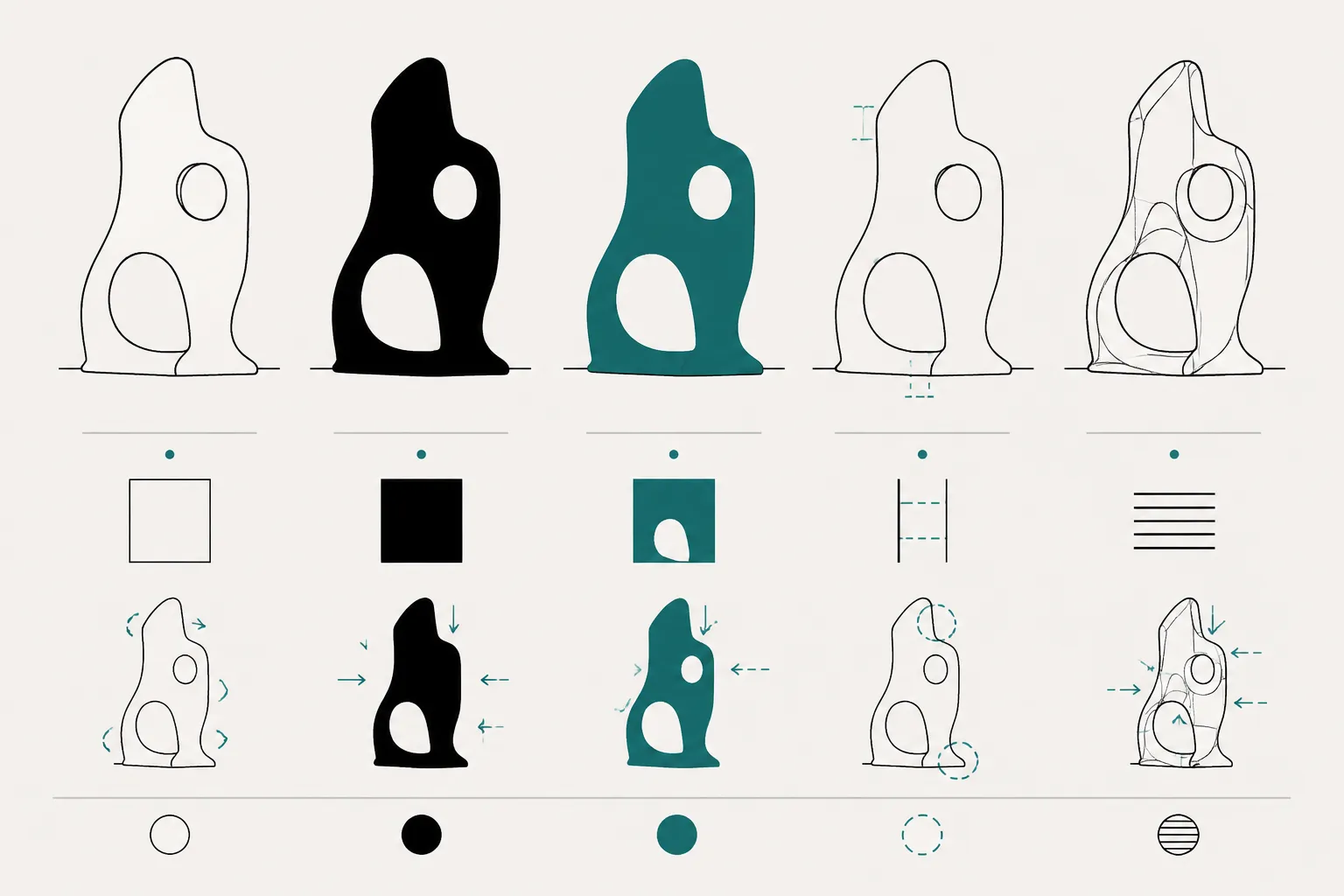
| Check | Silhouette | Outline |
|---|---|---|
| Main visual signal | Filled area and outer contour | Boundary stroke and interior space |
| Interior detail | Removed, merged, or converted into openings | Often retained as separate lines or spaces |
| Recognition focus | Mass, proportion, notches, gaps, and outer shape | Outer contour plus internal structure |
| Common ambiguity | Separate parts may merge into one mass | Extra lines may compete with the main form |
| Handoff question | Which filled regions and openings must remain distinct? | Which strokes and interior details must remain legible? |
Neither treatment wins in every context. Recognition studies comparing silhouette and outline versions found that identification varied across objects and representations. Some forms remained easy to identify, while others became harder when interior information, holes, or separated parts changed.
The bounded conclusion is that the better treatment depends on the cues the object needs for recognition.
Which Cues Carry Recognition?
Outer Contour
The outer contour is the first cue to inspect. Look for a distinctive peak or notch, a clear change in width, a recognizable taper, a long edge followed by a tight curve, or a separation between major parts.
Changes in curvature and boundary structure can contribute to perceived shape, but their importance depends on the object, the viewing angle, and the surrounding form. For a silhouette, these cues form the visible edge of the filled mass. For an outline, they define the path that the viewer follows around the form.
Handoff check: mark the two or three contour features that cannot be simplified without changing the intended object.
Filled Area
A silhouette presents the enclosed area as a single visual figure. That can support recognition when the object is identified by its overall mass. It can also create ambiguity when separate components touch, narrow parts disappear, or an opening becomes filled.
Inspect handles, loops, narrow supports, open frames, layered parts, thin attachments, and overlapping components. A concept may look clear at a large size while losing separation when reduced. The preview alone cannot establish how a particular machine, material, or final scale will reproduce those areas.
Handoff check: inspect every narrow connection and enclosed opening. Record whether each should remain filled, open, separated, or unresolved.
Counters and Gaps
A counter is an enclosed interior space, such as the opening inside a letter or loop. A gap is an open separation between parts. Both can carry recognition information.
In silhouette work, a counter may need to become a deliberate opening. A gap may be the only cue separating adjacent parts. In outline work, these spaces may already be visible, but surrounding strokes can narrow them or compete with nearby detail.
Label each important opening by function. It may be a hole through the object, a separation between components, background around a part, an interior detail, or a feature that should be omitted from the simplified concept.
Curvature Changes
Smooth curves do not all contribute equally to recognition. A broad curve may establish the general form, while a small convexity, concavity, corner, or inflection distinguishes one object from another.
For a silhouette, a contour adjustment changes the filled boundary directly. For an outline, the same adjustment changes the path but may be less visible if the stroke is light, narrow, or crowded by interior lines.
Handoff check: compare the simplified contour with the source concept at the intended viewing angle. Confirm that distinctive curvature changes remain intentional.
Interior Detail in Silhouettes and Outlines

Interior detail is not automatically an advantage. A silhouette removes much of the interior description. That reduction can clarify the form, but it can also remove the feature that identifies the object.
An outline preserves more internal information. That can help with complex or layered objects, but too many lines may weaken the primary shape or make the relationship between contour and detail unclear.
- If the object is recognized mainly by its outer mass, start with a silhouette concept.
- If recognition depends on an opening, fold, division, or nested part, compare a silhouette with deliberate cutouts against an outline version.
- If the concept depends on both mass and internal structure, mark the required interior features before choosing the treatment.
This comparison addresses recognition, not final production behavior. The available research supports questions about shape and perception. It does not establish stroke widths, minimum gaps, bridge dimensions, machine behavior, or material suitability.
A Recognition-First Concept Check
-
Isolate the outer shape. View the concept without texture, shading, color variation, or decorative background. Ask whether the outer contour still suggests the intended object. If it does not, an outline alone may not solve the problem; the concept may need a clearer proportion, viewpoint, or interior cue.
-
Compare filled and open versions. Create two labeled states: a filled silhouette with intentional openings, and an outline with only the interior details needed for recognition. Keep their view, scale, and basic proportions comparable.
-
Mark the decisive cues. Identify the contour features, counters, gaps, and interior lines that support recognition. Classify each as decided, provisional, or shop-dependent.
-
Check the intended viewpoint. Confirm whether the concept shows a front, side, angled, or top view. Check whether the contour remains distinctive, an overlap hides a required gap, or the filled mass makes separate parts appear joined.
-
Write the handoff decision. Record one sentence explaining why the chosen treatment supports recognition at the intended view. List material, equipment, scale, testing, and rights questions separately for the relevant shop, supplier, manufacturer documentation, or rights holder.
Use the silhouette treatment if the filled mass and two separated openings remain recognizable at the intended view.
Use the outline treatment if the interior division is essential and the boundary stroke remains visually subordinate.
Common Misreadings
“A silhouette is just an outline filled in”
That is a useful starting description, but filling an enclosed area can merge neighboring parts, remove counters, and change how background regions are interpreted. Treat filling as a representation change, not only a color change.
“An outline always preserves more information”
An outline can preserve interior detail, but information helps only when it remains organized and visible. Extra lines may compete with the outer contour, and small crossings may become ambiguous.
“The outer contour decides everything”
The outer contour is important, but it is not always sufficient. Some objects depend on counters, gaps, internal divisions, or separated components. Viewpoint can also change which features remain visible.
“The research proves which option is better”
The cited recognition studies do not support a universal winner. They support a comparison based on the object, representation, interior information, and viewing conditions. They do not certify a production choice or predict final machine output.
What Belongs in the Shop Handoff?
Decide in the concept review:
- Silhouette or outline treatment.
- Intended viewing angle.
- Required outer contour features.
- Required counters and gaps.
- Interior details that support recognition.
- Features that may be simplified.
- Parts that must remain visually separate.
Route for shop review:
- Whether the selected material supports the intended detail.
- Whether the equipment and process require changes.
- Whether the final scale changes the visual decision.
- Whether a test piece is needed.
- Whether the source terms permit the planned commercial use.
- Which file state the shop considers suitable for its own cleanup and setup.
A concept preview shows intent. A path view shows a prepared line structure. A test piece records one documented result. Keep these states separate from an approved production file.
The Bounded Answer
For a recognition-first concept check, use a silhouette when the object should read as a solid, simplified mass. Use an outline when the boundary and interior structure need to remain visible.
Inspect the outer contour, meaningful counters, separating gaps, curvature changes, and intended viewpoint. Terminology varies across fields, so document the chosen treatment instead of assuming everyone uses the words identically.
Before vector cleanup, compare one filled version with one open version. Mark what is decided, what is provisional, and what the shop must confirm. Send that marked comparison with the intended view and unresolved material or equipment questions.
Sources
- Identification of Everyday Objects on the Basis of Silhouette and Outline Versions
- Outline shape is a mediator of object recognition that is particularly important for living things
- Line Drawings from 3D Models
- Effective line drawing generation : optimizing line drawings based on human 3D shape perception
- When are viewpoint costs greater for silhouettes than for shaded images? | Psychonomic Bulletin & Review | Springer Nature Link
- Parsing silhouettes: The short-cut rule | Attention, Perception, & Psychophysics
- Information Concentration along the Boundary Contours of Naturally Shaped Solid Objects
- Seeing Lumps, Sticks, and Slabs in Silhouettes